

Built for sustained use across care environments
Designed to provide round-the-clock support with intuitive, accessible features
01

Always available, including overnight. Seamlessly transitions in and out of sleep mode for uninterrupted support.
24/7 Assistance
04

Only messages intentionally selected by the user are voiced, preserving autonomy in every interaction.
Privacy & Dignity
02

Adjusts over time as eye movement and preferences change, with updates that can be made remotely and in real time.
Personalized & Adaptable
05
.png)
An intentionally simple audio menu supports reliable communication for users with more limited control. When a screen is used, expanded capabilities become available.
Flexible Interaction Modes
03
.png)
Eliminates setup and recalibration, supporting reliable use across different care environments and lighting conditions.
No Calibration Required
06

Supports multiple languages, including the ability to input in one language and have messages spoken in another.
Multilingual Communication
Who We Serve
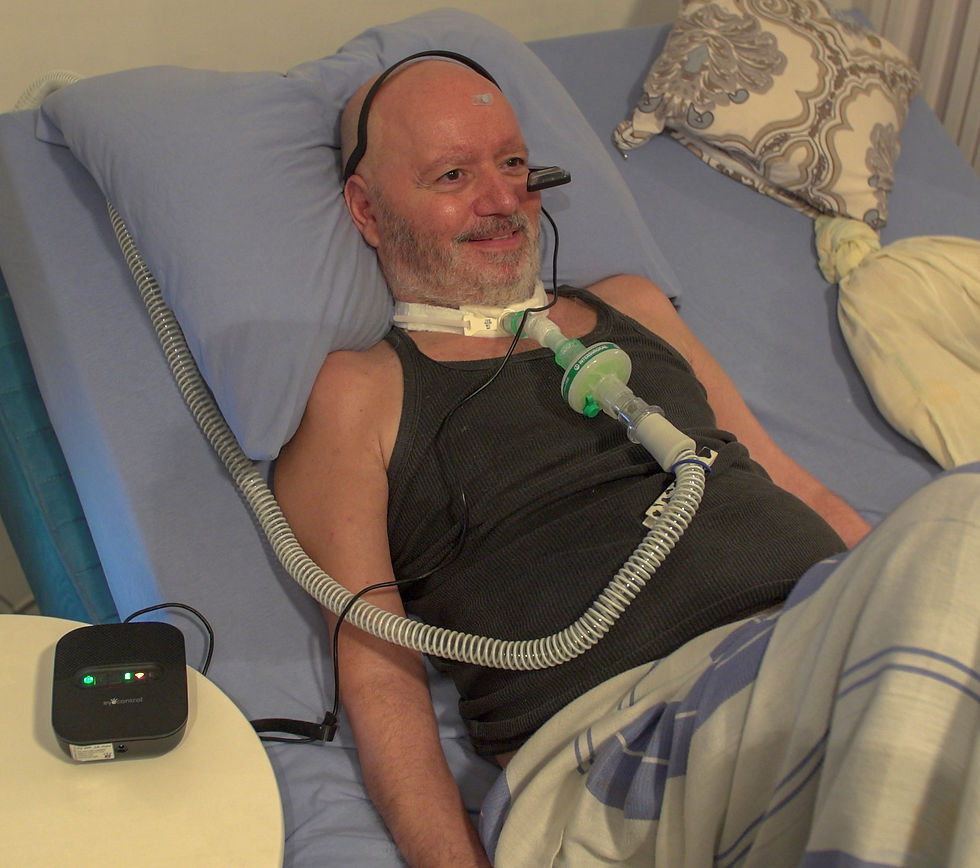

Patients & Families
Enhances quality of life with intuitive, round-the-clock communication. It preserves independence, provides reassurance, and strengthens vital emotional connections.

Care Teams & Providers
Supports safer care with Real time insights into patient needs. It reduces risks, informs decision-making, and ensures no patient is left without a voice.

"I will finally be able to go outside without the stress of losing my communication."
Michael, ALS Patient
"The big advantage is that Michael can tell me what he wants, especially at night when he wears the device and call me if he needs me."
Wife of Michael, ALS Patient
Navigate with eye gestures
Enables hands-free interaction through eye gestures, allowing users to scan and select from audio-based menus with preconfigured and customizable words and phrases.
Use with or without a screen
Supports interaction with or without visual feedback, enabling use based on a person’s abilities, preferences, and care environment.
Access help and controls instantly
Provides rapid access to assistance and key controls with minimal interaction effort.
Adjust as you go
Allows interaction methods and settings to be updated over time as abilities, preferences, or care needs change.
How it works
